
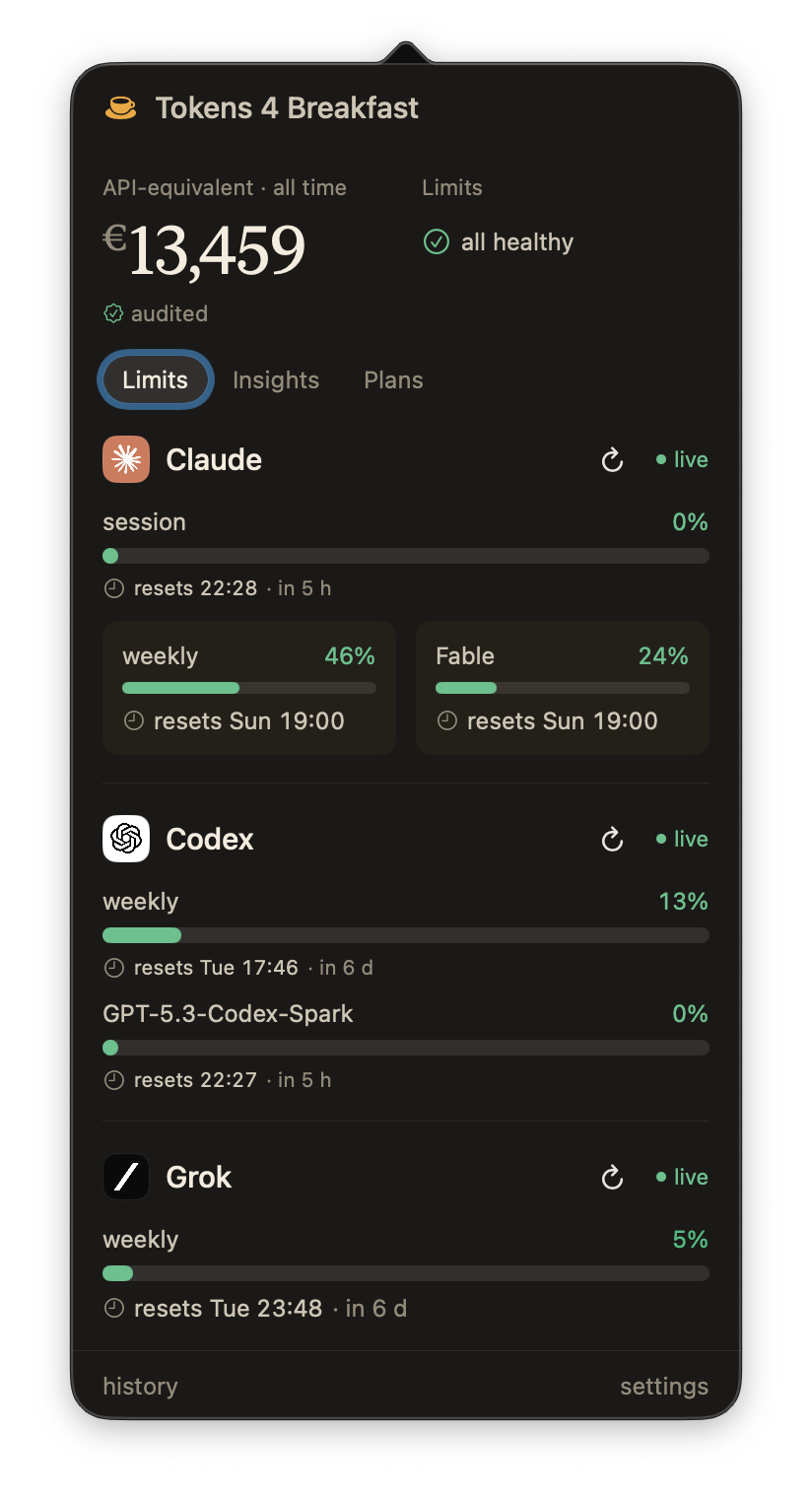
Tokens 4 Breakfast is our pick for Mac users who want to see their AI plan limits and token-cost estimates together while they work. It brings supported provider windows and reset times into the menu bar, alongside usage history and API-equivalent estimates where available. Use your provider’s billing dashboard and invoice to reconcile actual charges. Tokens 4 Breakfast · OpenAI API usage and costs
Decide what you’re tracking
- Plan limits and reset times tell you how close you are to a provider’s cap and when a usage window refreshes. This is the number to watch when you have another long coding session coming up.
- Tokens and API-equivalent estimates tell you how much text a supported tool processed and what that usage might cost at API rates. Rate tables, token categories and the records your tool exposes all affect the estimate.
- Billed spend comes from the provider’s billing records. Subscription fees, separately metered API calls, credits and taxes can change the final amount.
If your limit is 80% used and your coding session shows $24 in estimated API-equivalent usage, those two readings answer different questions. Check the reset time to schedule the next run. Check your provider’s billing records to see what you paid. These are illustrative numbers. OpenAI on ChatGPT and API billing · Tokens 4 Breakfast’s token guide
Which tracker should you use?
- Tokens 4 Breakfast for a daily Mac dashboard. Start here if you use tools such as Claude Code and Codex and want the next limit and reset in view alongside usage estimates. Supported providers can expose different data and use different connection methods. Check which signal an integration supports before relying on it. The Mac app has a free download and an optional one-time Pro upgrade. Supported providers and plans
- CodexBar for an open-source menu-bar monitor. It supports a broad set of providers, including Codex and Claude, and documents how each data source works. It also supports cost views where compatible usage data is available. Pick it if you want to inspect and configure those sources. CodexBar source and provider documentation
- ccusage for terminal reports. It reads supported coding agents’ local usage logs and reports tokens and estimated costs. Choose it when you work from the terminal or want to run the same usage report on demand. ccusage documentation
- Provider dashboards for billed usage. Open the right organization or workspace and compare the same billing period. For OpenAI, ChatGPT billing and API billing are managed in separate systems. Check provider records for every account you need to reconcile. OpenAI billing systems
Set up a five-minute check
- Pick the tool you run most often and identify whether it uses a plan, an API key or both.
- In your tracker, check that the displayed account and usage period match your provider. Compare one available reset time or usage reading with the provider’s own view.
- Keep the source and scope in your notes when comparing tools. For example, “Codex local log, this week, API-equivalent” and “OpenAI organization, November, billed usage” describe two distinct numbers.
- Use the plan limit to decide when to start a run. Use the estimate to spot a large change in consumption. Use the invoice to record payment.
Can a tracker see every AI request?
Coverage depends on which logs or provider endpoints the integration can access. A local report may cover only the coding tools and sessions available on your Mac. Verify the provider, machine and timeframe before comparing totals. If you just need one invoice, go directly to the provider. If your work regularly moves between Claude Code and Codex, Tokens 4 Breakfast gives you one place to watch the signals you need during the day.